
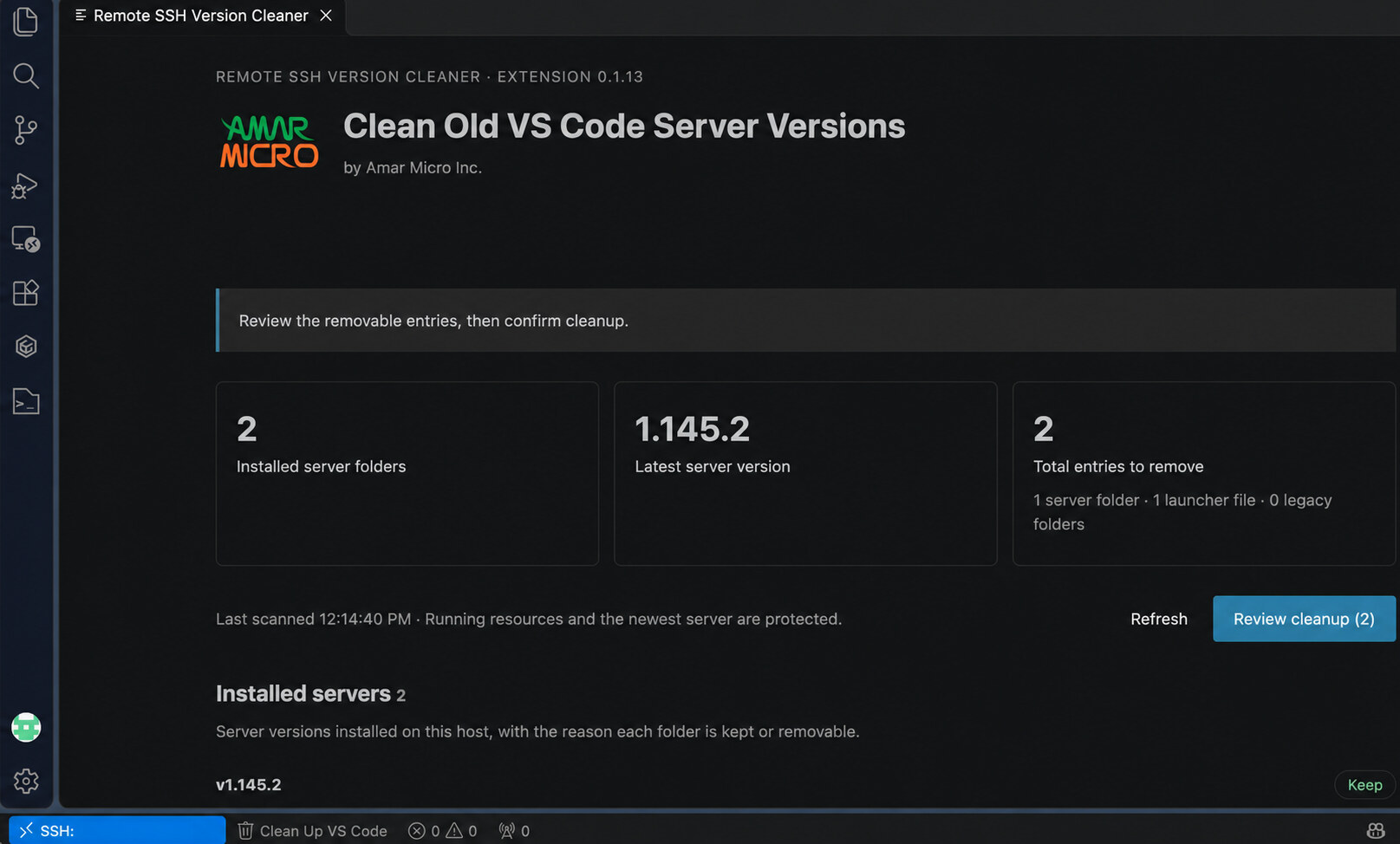
What it does
Every time VS Code updates, Remote SSH installs a new VS Code server on the Linux host you connect to — and the old versions stay behind. On a busy server they add up to a real share of the disk. Remote SSH Version Cleaner finds those obsolete VS Code server versions and removes them for you, from inside VS Code.
How it works
Connect to your Linux host with Remote SSH and open the cleaner. It lists the server versions installed on that host and the reason each one is kept or removable. You review the exact paths that would be deleted, and nothing is removed until you confirm the cleanup inside VS Code.
Two things are always protected: the newest server version is preserved, and VS Code server resources detected as running are left alone.
Scope
The extension is built for Linux hosts you connect to with VS Code Remote SSH, and for VS Code Stable server installations. It works on one host at a time, and cleanup runs only when you start and confirm it. WSL, containers and VS Code Insiders installations are not covered.
Why we built it
Our own Linux servers repeatedly ran short of disk space. What started as manual cleanup became a Bash script, then a native VS Code extension — and we've made it available to everyone.
Free and open source
Remote SSH Version Cleaner is free and released under the MIT license. Install it from the Visual Studio Marketplace, or read the source on GitHub.
Support
Questions, issues or feedback? Reach us through our contact form.
 The heartbeat
of technology